1. 下载 Github中Arthas下载
2. 解压 下载出来是一个Zip压缩包,不多说,直接解压到目录下。
1
2
3
4
5
6
7
8
9
10
11
12
13
14
15
16
17
18
[root@centos8 data]$ unzip arthas-bin-3.3.7.zip -d arthas/ Archive: arthas-bin-3.3.7.zip creating: arthas/async-profiler/ inflating: arthas/arthas-spy.jar inflating: arthas/arthas-core.jar inflating: arthas/logback.xml inflating: arthas/arthas.properties inflating: arthas/arthas-agent.jar inflating: arthas/arthas-client.jar inflating: arthas/arthas-boot.jar inflating: arthas/arthas-demo.jar inflating: arthas/install-local.sh inflating: arthas/as.sh inflating: arthas/as.bat inflating: arthas/as-service.bat inflating: arthas/async-profiler/libasyncProfiler-linux-arm.so inflating: arthas/async-profiler/libasyncProfiler-linux-x64.so inflating: arthas/async-profiler/libasyncProfiler-mac-x64.so
3. 使用简介 3.1. 启动演示Demo 原生Arthas 提供一个用于学习和演示用的 Demo,我们这里直接启动它,arthas-demo.jar,它是一个简单的程序,每隔一秒生成一个随机数,再执行质因数分解,并打印出分解结果。
1
2
3
4
5
6
7
8
9
10
11
[root@centos8 arthas]$ java -jar arthas-demo.jar illegalArgumentCount: 1, number is: -121785, need >= 2 illegalArgumentCount: 2, number is: -71779, need >= 2 illegalArgumentCount: 3, number is: -108566, need >= 2 67261=67261 illegalArgumentCount: 4, number is: -22833, need >= 2 illegalArgumentCount: 5, number is: -24786, need >= 2 illegalArgumentCount: 6, number is: -101489, need >= 2 illegalArgumentCount: 7, number is: -95959, need >= 2 165377=59*2803
3.2. 启动Arthas 在启动中会让你输入需要监控的进程,演示环境中我这里只有 1,输入 1 回车。
1
2
3
4
5
6
7
8
9
10
11
12
13
14
15
16
17
18
19
20
21
22
23
24
25
26
27
[root@centos8 arthas]$ java -jar arthas-boot.jar [INFO] arthas-boot version: 3.3.7 [INFO] Found existing java process, please choose one and input the serial number of the process, eg : 1. Then hit ENTER. * [1]: 1714 arthas-demo.jar 1 [INFO] arthas home: /data/arthas [INFO] Try to attach process 1714 [INFO] Attach process 1714 success. [INFO] arthas-client connect 127.0.0.1 3658 ,---. ,------. ,--------.,--. ,--. ,---. ,---. / O \ | .--. ''--. .--'| '--' | / O \ ' .-' | .-. || '--'.' | | | .--. || .-. |`. `-. | | | || |\ \ | | | | | || | | |.-' | `--' `--'`--' '--' `--' `--' `--'`--' `--'`-----' wiki https://alibaba.github.io/arthas tutorials https://alibaba.github.io/arthas/arthas-tutorials version 3.3.7 pid 1714 time 2020-08-07 11:08:57 ## 3.3. 常用命令集 经常用的命令我基本罗列出来,当然也不都是最好用,当然这里头既有实际情况和个人喜好在里面!
命令
详解
dashboard
展示当前进程的信息
thread
线程栈信息,在实际应用比较有用,可以定位问题线程
jvm
查看当前JVM信息,感觉有点类似 jinfo
sc
查看JVM已加载的类信息
trace
方法内部调用路径,并输出方法路径上的每个节点上耗时
monitor
方法执行监控,是一个非实时返回命令.
vmoption
查看和修改JVM里诊断相关的option
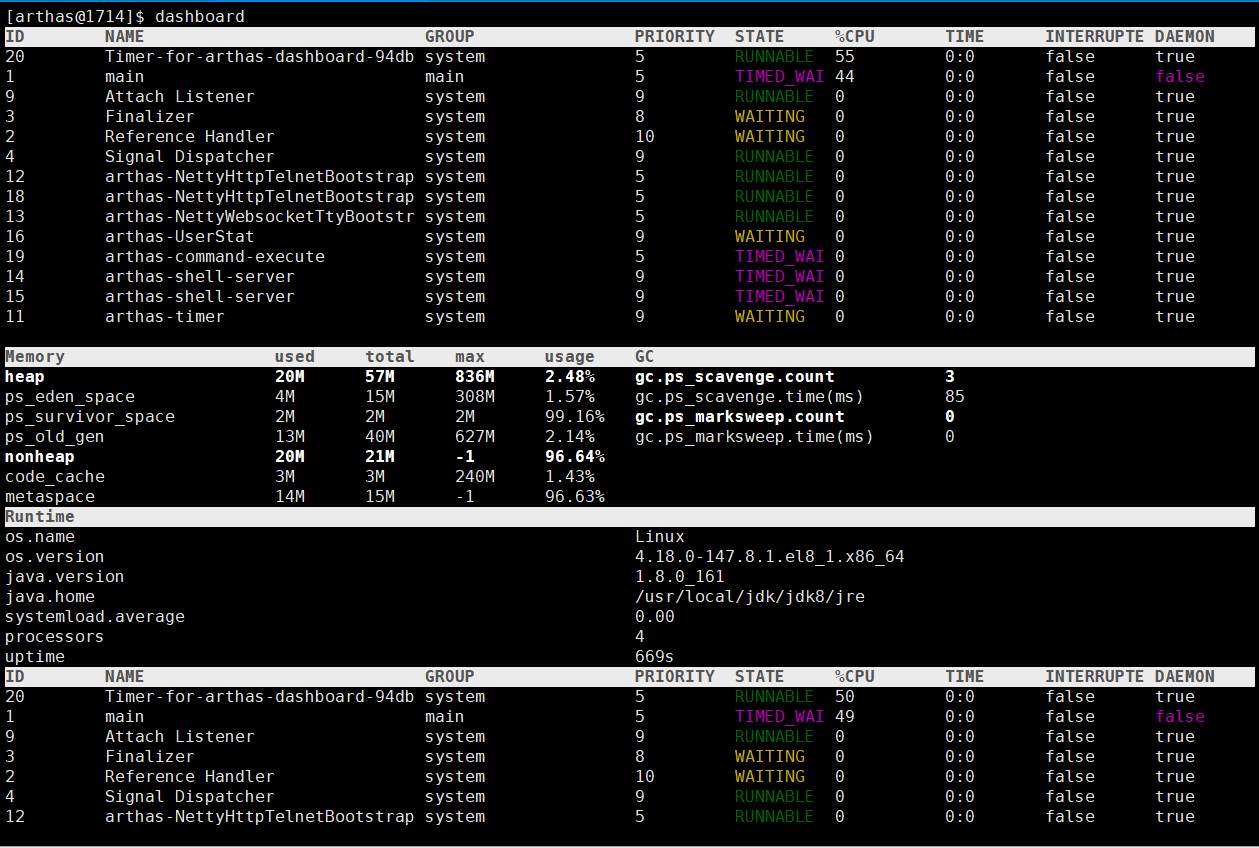
3.3.1. dashboard 前系统的实时数据面板,按 ctrl+c 退出。
当运行在Ali-tomcat时,会显示当前tomcat的实时信息,如HTTP请求的qps, rt, 错误数, 线程池信息等等。
3.3.1.1. 说明
ID: Java级别的线程ID,注意这个ID不能跟jstack中的nativeID一一对应
NAME: 线程名
GROUP: 线程组名
PRIORITY: 线程优先级, 1~10之间的数字,越大表示优先级越高
STATE: 线程的状态
CPU%: 线程消耗的cpu占比,采样100ms,将所有线程在这100ms内的cpu使用量求和,再算出每个线程的cpu使用占比。
TIME: 线程运行总时间,数据格式为分:秒
INTERRUPTED: 线程当前的中断位状态
DAEMON: 是否是daemon线程
3.3.1.2. 样例图
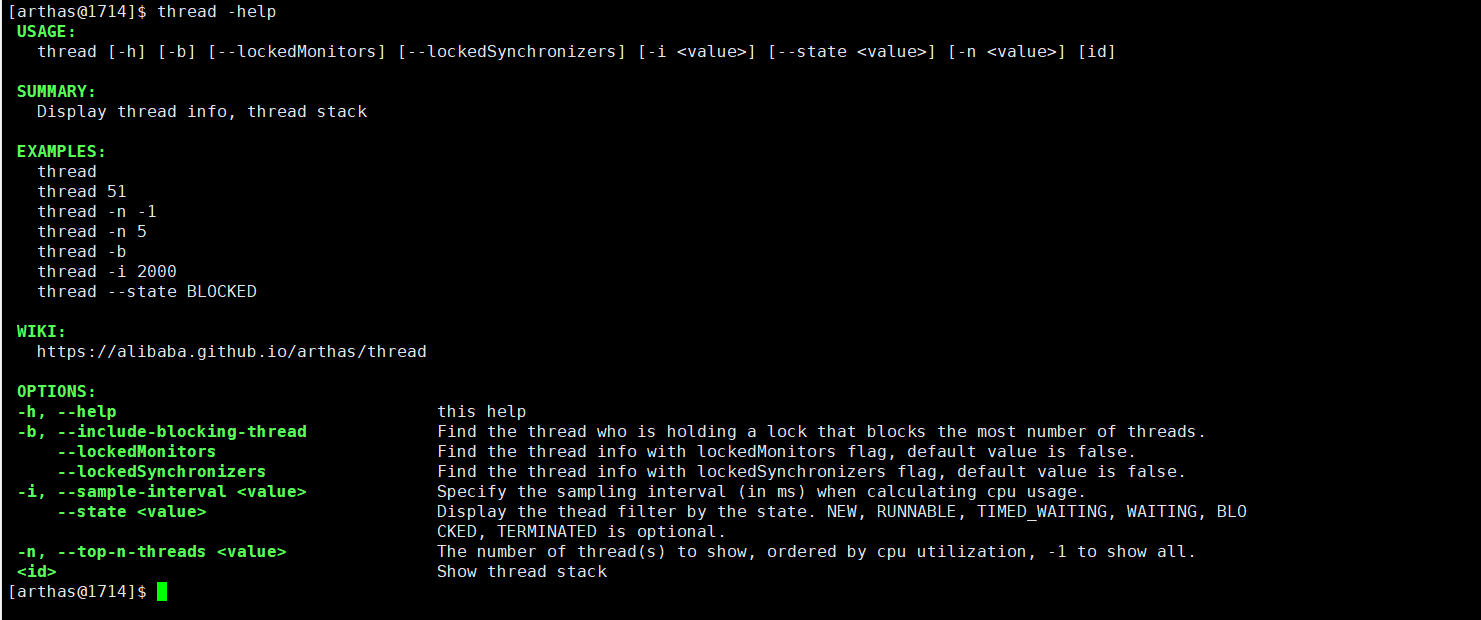
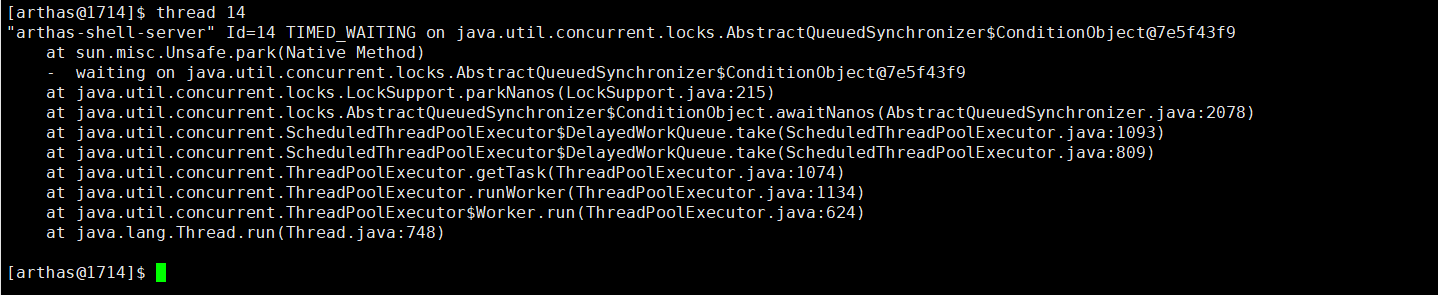
3.3.2. thread 查看当前线程信息,查看线程的堆栈。
参数名称
参数说明
id
线程id
[n:]
指定最忙的前N个线程并打印堆栈
[b]
找出当前阻塞其他线程的线程
[i ]
指定cpu占比统计的采样间隔,单位为毫秒
3.3.3. JVM 查看当前JVM信息。
和Thread有关的参数
COUNT: JVM当前活跃的线程数
DAEMON-COUNT: JVM当前活跃的守护线程数
PEAK-COUNT: 从JVM启动开始曾经活着的最大线程数
STARTED-COUNT: 从JVM启动开始总共启动过的线程次数
DEADLOCK-COUNT: JVM当前死锁的线程数
文件描述符
此处省略
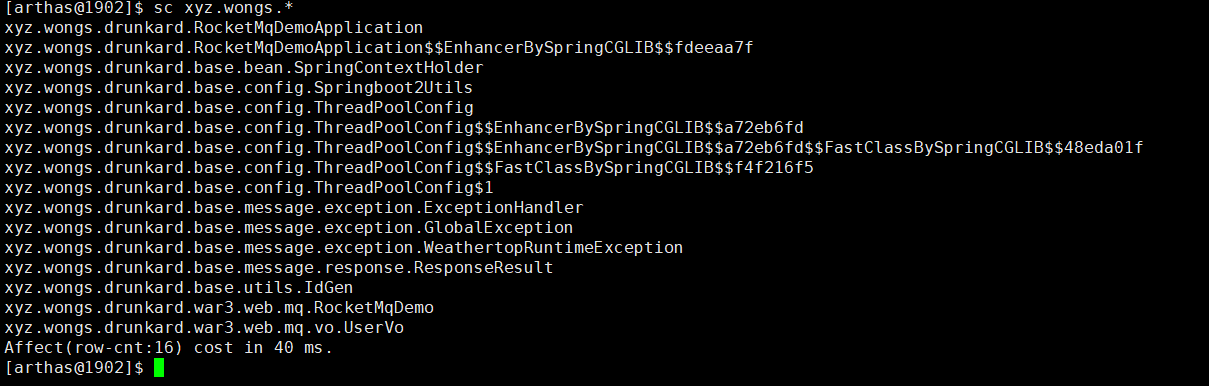
3.3.4. sc 查看JVM已加载的类信息
“Search-Class” 的简写,这个命令能搜索出所有已经加载到 JVM 中的 Class 信息,这个命令支持的参数有 [d]、[E]、[f] 和 [x:]。
参数名称
参数说明
class-pattern
类名表达式匹配
method-pattern
方法名表达式匹配
[d]
输出当前类的详细信息,包括这个类所加载的原始文件来源、类的声明、加载的ClassLoader等详细信息。
如果一个类被多个ClassLoader所加载,则会出现多次
[E]
开启正则表达式匹配,默认为通配符匹配
[f]
输出当前类的成员变量信息(需要配合参数-d一起使用)
[x:]
指定输出静态变量时属性的遍历深度,默认为 0,即直接使用 toString 输出
3.3.5. trace 方法内部调用路径,并输出方法路径上的每个节点上耗时。
参数名称
参数说明
class-pattern
类名表达式匹配
method-pattern
方法名表达式匹配
condition-express
条件表达式
[E]
开启正则表达式匹配,默认为通配符匹配
[n:]
命令执行次数
#cost
方法执行耗时
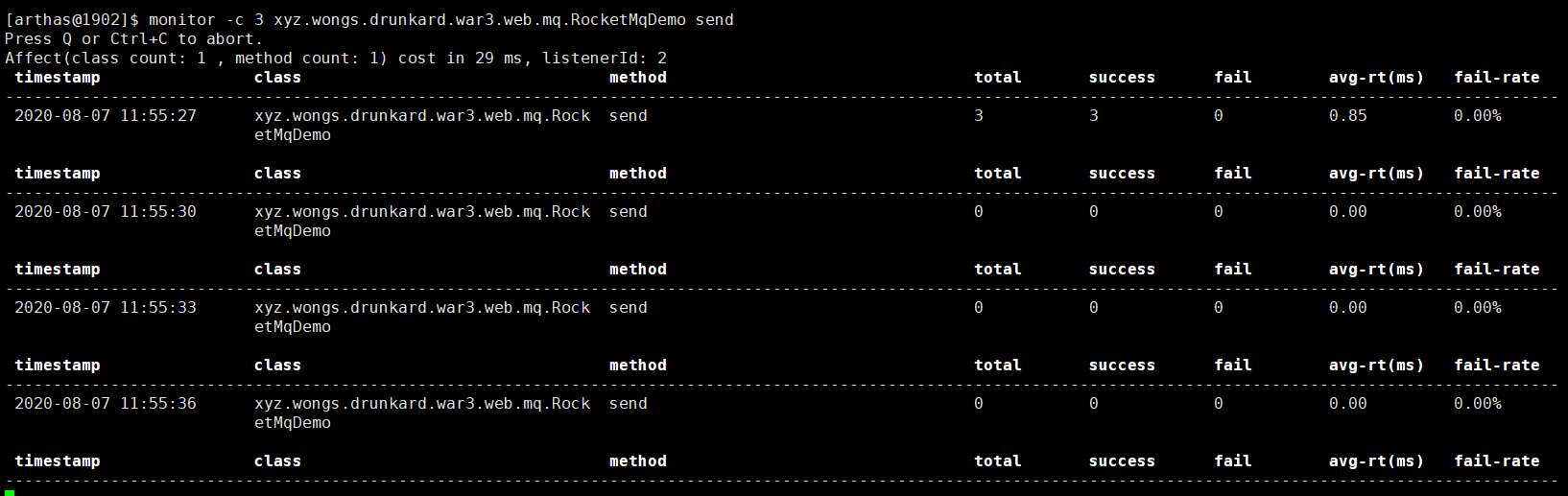
3.3.6. monitor 方法执行监控
对匹配 class-pattern/method-pattern的类、方法的调用进行监控。
参数名称
参数说明
class-pattern
类名表达式匹配
method-pattern
方法名表达式匹配
[E]
开启正则表达式匹配,默认为通配符匹配
[c:]
统计周期,默认值为120秒